
 Anmelden


V6.15 New stats for Overview and Insights
New stats have been added to two new places in the app: the Overview screen and on Insights!
Overview screen
Two new sections have been added to the PLAY STATISTICS segment, This Month and This Year.
These have been added between the current sections, so the sections are now, in order from left to right:
- This Month
- Last 30 days
- This Year
- Last 365 days
- All Time
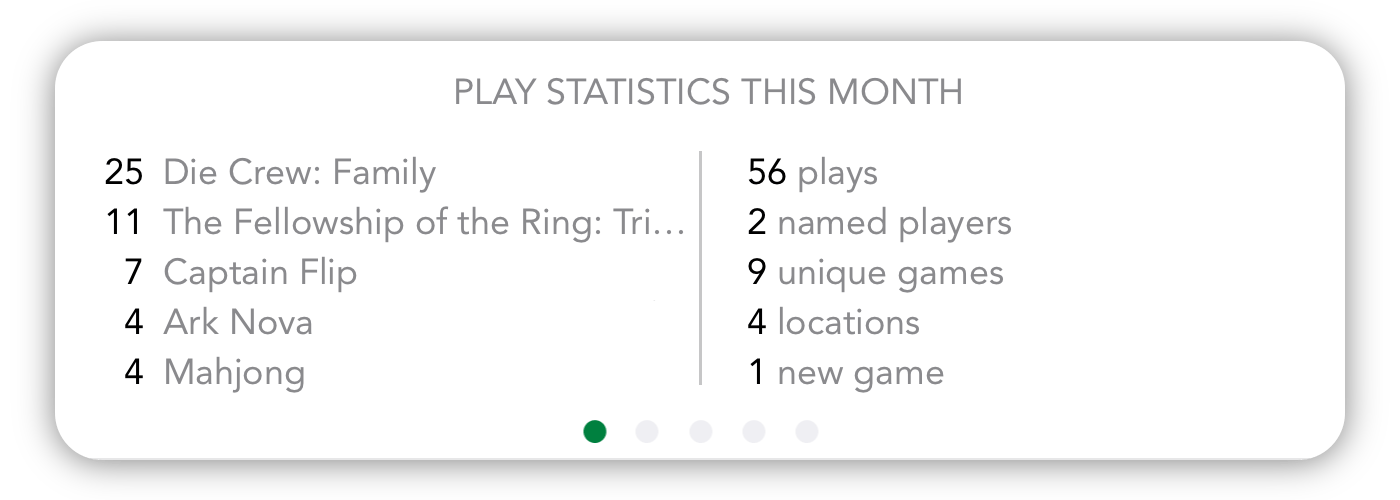
As always, the section you select will be remembered, with this update this will be reset one-time only.
Insights
Charts based on Time played*
The charts on Insights can now be toggled between being based on the number of plays and the time played.
Above the chart section of the page, you will find a the option to switch between the Play count and Total time played. All charts below will be changed:
- Plays bar chart
- Player bar chart
- Player counts pie chart
- Days of week pie chart
- Locations pie chart

Zoom out button
On the top left of this section you can now also find a magnifying glass.
Tapping on this will zoom out your stats to the next level: from Month to Year, and from Year to All Time.

As always, you can still tap on a bar in the Plays bar chart to zoom in.
Value labels
Labels have been added (where possible) to the Plays bar chart, so it’s easier to see the absolute values of these.
* Stats on time are available with the Power expansion.

 Es erscheinen bei weitem nicht so viele Expertenspiele, wie Familienspiele oder Kennerspiele, aber 2026 sind im ersten Halbjahr bereits einige sehr spannende Strategiespiel-Neuheiten für Expertenspieler auf den Markt gekommen. Ich stelle deshalb heute 7 Strategiespiele-Neuheiten für Expertenspieler aus 2026 genauer vor und gehe darauf ein, was euch bei diesen Brettspielen erwartet und warum sich diese […]